
How naga91 Multi-Currency Accounts Work
When you open an account on naga91, you select your primary currency during registration. Most users in Indonesia choose IDR (Indonesian Rupiah); some prefer USD or other regional currencies if they hold funds abroad. Your choice affects how deposit and withdrawal amounts display, but does not lock you into a single payment method. For example, you can deposit via DANA in IDR and later withdraw to a e-wallet bank account, also in IDR.
Our backend tracks your balance in your chosen currency. When you place a bet on a Liga 1 match or a live blackjack hand, the stake is deducted in that currency. Winnings accumulate in the same currency. If you later decide to switch your primary currency—for instance, from IDR to USD—you contact our support team, and we can adjust your account settings and handle any conversion at a transparent exchange rate.
Currency Selection and Payment Rails
At signup, you declare your primary currency. We support IDR for domestic players and USD for international users. Your currency choice determines how deposit and withdrawal prompts display—if you select IDR, naga91 shows amounts in Rupiah and routes payments through IDR-denominated rails.
You are not locked into one payment method. You can deposit via mobile banking on Monday and withdraw via local payment bank on Friday—both transactions process in your selected currency. Our payment processor handles the routing; you see only the final IDR or USD amount in your wallet.
Supported Payment Methods on naga91
We partner with Indonesia's major digital wallets and bank networks to offer deposit and withdrawal options. Each method has a standard processing window and minimum / maximum thresholds.
Digital Wallets and Quick-Transfer Services
online payment, e-wallet, mobile banking, local payment, and online payment are the fastest deposit routes on naga91. You open your wallet app, scan our QR code or enter our merchant reference, and authorize the transfer. The funds arrive in your naga91 balance within seconds to a few minutes. Withdrawals to these wallets also complete quickly, typically within our standard verification window—usually a few hours during business hours.
Bank Transfer and e-wallet
We accept deposits and withdrawals through mobile banking, local payment, online payment, and e-wallet. Bank transfers may take longer than wallet transfers—typically one to two business hours during weekday office hours, and longer during evenings or public holidays such as Idul Fitri and Idul Adha. mobile banking (Indonesia's unified QR payment code) is also supported and routes to your chosen bank. We do not charge deposit or withdrawal fees; your bank may apply its own transfer fee depending on your account tier.
Deposit Flow on naga91
To deposit funds into your naga91 account, follow these steps:
- Log into your naga91 account and navigate to the Deposit section (usually in the Wallet or Account menu).
- Select your preferred payment method: local payment, online payment, e-wallet, mobile banking, local payment, online payment, or a direct bank transfer.
- Enter the deposit amount in your chosen currency. The system displays any applicable limits (minimum and maximum per transaction).
- Authorize the payment in your wallet app or bank app. A confirmation code or OTP may be required.
- Once confirmed, funds transfer to your naga91 balance. You receive a transaction reference number for your records.
- Your balance updates in real time. You can now place bets on Liga 1 fixtures, play live blackjack, or explore slot games.
Most deposits complete instantly or within minutes. If a deposit does not appear after the expected window, note your reference number and contact our support team via the Help Center.


Withdrawal Process and Verification
Withdrawals from naga91 require account verification. On your first withdrawal request, we ask for identity confirmation (a copy of your ID card, passport, or driver's license) and proof of the payment method you are withdrawing to (for bank withdrawals, a bank statement or screenshot showing your name and account number). This process protects both your account and our platform from fraud.
After verification is complete—typically within one to two business hours—subsequent withdrawals process without additional document checks, provided you withdraw to the same payment method. If you add a new withdrawal destination (for instance, switching from e-wallet to mobile banking), we may request updated verification for that new method.
Withdrawal Steps
- Open your naga91 account and go to the Withdrawal section.
- Select your withdrawal method (local payment, online payment, e-wallet, bank account, etc.).
- Enter the withdrawal amount. The system shows your available balance and any limits.
- If this is your first withdrawal or you are using a new payment method, upload verification documents (ID + proof of payment destination).
- Confirm the withdrawal request. A review team checks your documents and processes the payment.
- Once approved, funds transfer to your chosen payment method. You receive a confirmation email with the transaction reference.
Currency Conversion and Exchange Rates
If you hold a USD account but deposit via IDR (or vice versa), naga91 applies a transparent exchange rate at the time of the transaction. We do not charge a separate conversion fee; the rate is built into the deposit or withdrawal amount you see. Our rates are updated daily to reflect market midpoints, so you know exactly how much you will receive or spend before confirming.
For example, if you have a USD account and deposit our welcome offer via mobile banking, we convert that to USD at our current rate (visible before you confirm) and credit your balance. Conversely, if you withdraw your USD balance to an IDR bank account, we convert at the same transparent rate. You can view the conversion breakdown in your transaction history.
Unified Wallet Across Football, Casinoand Slots
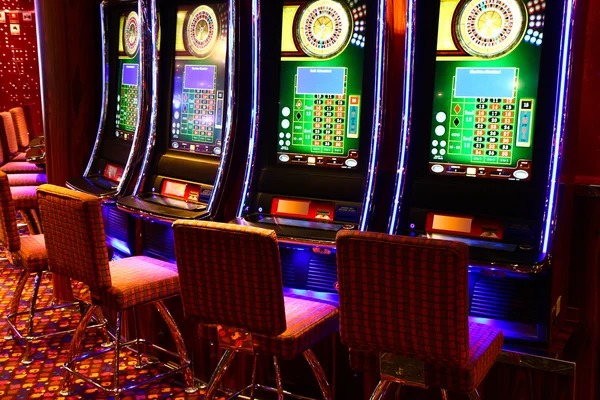
Your naga91 balance is one wallet across all product lines. Deposit once, and you can bet on Piala AFF matches, play live roulette with our dealers, spin slot games such as Sweet Bonanza or Mahjong Ways, or place esports bets on Mobile Legends tournaments—all from the same balance. You do not need separate accounts or transfers between "sportsbook" and "casino" sections.
This unified approach simplifies account management and makes it easy to move between product categories during a single session. If you want to take a break from football markets and try a live blackjack table, your wallet balance follows you. Withdrawals also apply to the entire balance, regardless of which product category contributed the funds.
Account Dashboard: View Transactions and Balance
Our account dashboard shows your current balance in your chosen currency, a history of your recent deposits and withdrawals, and a full transaction log. You can filter by date, payment method, or transaction type. Every bet, casino hand, or slot spin is logged, so you have a complete audit trail of your activity.
If you are a Liga 1 supporter and place multiple bets during a matchday, or if you alternate between football and live casino, the dashboard helps you track your net activity and verify that all transactions match your expectations.